Here's a short video from Aanarav Sareen of Creative Cow on optimizing your computer for video editing. The video includes info on keeping your registry clean, eliminating background processes while editing, and defragmenting your hard drives.
 These tasks may seem tedious (and they are!) But keeping your edit system up to snuff will save many headaches and delays when you're trying to complete a project.
Here's the quick way to access the Clip Speed/Duration dialog box. Make sure the clip that you want to change is selected and press "CTRL" and "R". This dialog box will appear:
In a past tip, I showed how to use the keyboard as transport controls to scan forward, backward or to pause a clip. In the capture window, there are additional controls available.
 When connected to a VTR or tape camcorder, the "S" key stops the deck, the "R" key rewinds, and the "F" key fast forwards.
Here's another good book that's worth checking out. While there's a quite a few books and magazines on cameras, editing software, lighting and audio, good texts on storytelling techniques are harder to find.
Documentary Storytelling: Making Stronger and More Dramatic Nonfiction Films by Sheila Curran Bernard. Here's a tiny excerpt from the chapter, "Story Basics":
"Don't be confused by the fact that festivals and film schools commonly use the term 'narrative' only to describe works of dramatic fiction. Most documentaries are also narrative, which simply means they tell stories (whether or not those stories are also narrated is an entirely different issue). How they tell those stories and what stories they tell separates the films into subcategories such as genre or style, from cinéma vérité to film noir."
 The title above is directly linked to the publisher. A PDF of the first chapter is available for review at no charge.
Now that we know the shortcut to clear the in point and out point of a clip, (Remember? It's the "G" key.) How do you remove either the in point or the out point?
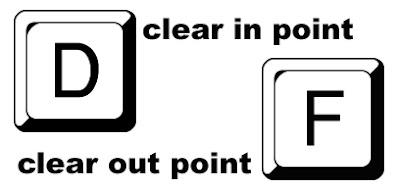
That's right. "D" clears the in point and "F" clears the out point.
Today's video camera manufacturers continue to sustain the trend of pushing expensive and useless toys to market. The Canon HR10, reviewed in the May 2008 issue of Videomaker, is a perfect example.
 The camera boasts high definition recording, extreme portability, variable shutter speeds and even the ability to shoot in 24p. (24p refers to 24 frames-per-second, the frame rate of motion picture film.)And while you're able to create a high definition film look, inexplicably the camera lacks very basic features - like a mic jack, an accessory shoe or even a headphone jack - even though these would add little to the sticker price. Priced at over $800, the HR10 is an expensive bauble with limited value for either the serious or casual shooter.
We know the shortcuts for selecting in and out points on a clip. (Remember? The "I" and "O" keys.) But how do you clear them?
 Press the "G" key. This works in the timeline, source window or program window.


 When connected to a VTR or tape camcorder, the "S" key stops the deck, the "R" key rewinds, and the "F" key fast forwards.
 The camera boasts high definition recording, extreme portability, variable shutter speeds and even the ability to shoot in 24p. (24p refers to 24 frames-per-second, the frame rate of motion picture film.)
 Press the "G" key. This works in the timeline, source window or program window.
