Showing posts with label tutorial. Show all posts

Tuesday, December 23, 2014

Clean Up Phone Distortion

Here's a quick tutorial from airmedia.org by sound engineer, Rob Byers to help make telephone audio more intelligible.  

Demo using Adobe Audition shown here:


VIDEO 2 - Phoner Tape - Audition from AIR on Vimeo.


Monday, January 6, 2014

After Effects Shape Layers Tutorial

Here's a cool tutorial on creating animated shape layers in After Effects.  This is all built into After Effects - no additional plugins required.  


 Check out all After Effects Tutorials With Mikey Borup here.

Monday, November 19, 2012

Tuesday, January 4, 2011

Vimeo Video School

By way of Let's Make Better Films I learned about Vimeo's foray into video tutorials - Vimeo Video School. It features a range of free articles and video tutorials suitable for both beginners and more experienced video makers.


Here's a short piece on shooting for novices.


Here's a more advanced examination of audio options when shooting with a DSLR.


Tuesday, May 5, 2009

Beam Me Up

In keeping with the release of the new Star Trek flick, here's a tutorial from tech journalist D. Eric Franks. He demonstrates how to create the famous trek transporter effect.

Energize: Star Trek Transporter Effect from Videopia on Vimeo.


Franks hosts Videopia.org, his site devoted to "professional-quality video production for the (non-professional) masses." He was also the host of Digital Juice's TechKnow videos which are well worth watching.

Monday, March 9, 2009

Premiere Pro 2.0: Clip Notes

Here's a tutorial by Digital Media Net's Charlie White on a helpful feature introduced in Premiere Pro 2.0. Clip Notes enables you to export your sequence as a PDF document which can be emailed for comments by the viewer. It's very handy when working with a client or collaborator.

Here's Adobe's word on Clip Notes:

Getting fast, to-the-point feedback from clients is a crucial part of successful production, but it can also be a time-consuming chore. Adobe Clip Notes streamlines the process with an elegant solution based on two easy, accessible technologies: e-mail and Adobe PDF.

Export a video sequence as an Adobe PDF file with embedded or streamed video, and then e-mail the file to your reviewer. The reviewer plays the video with Adobe® Reader® and enters timecode-specific remarks into the comment box. After the reviewer e-mails back the comments and you open the file in Adobe Premiere® Pro CS4 software, the comments appear as clip markers at the appropriate timecode locations in the timeline.

Wednesday, February 11, 2009

Synthetic Media In Premiere Pro

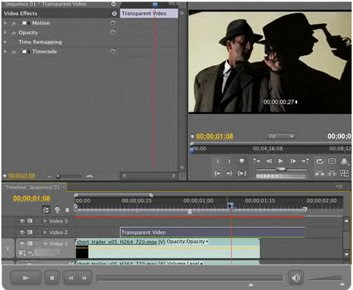
It's good to see that Layers Magazine finally began offering Premiere Pro tutorials about six months ago. In this tutorial, Franklin McMahon demonstrates the uses of media created within Premiere Pro.


The tutorial demonstrates how and why to use transparent video in your timeline. Also note that in Premiere Pro CS4 color mattes support an assortment of blending modes which opens up some visual possibilities. (Here's a link to information on blending modes and what they do.)

Thursday, January 8, 2009

Trim Operations Tutorial

Here's a useful tutorial from Talented Pixie on efficient ways to rearrange or trim clips within the Premiere Pro timeline.


Host Tom Mavro-Michaelis reviews ripple edits, rolling edits and keyboard shortcuts to quickly change the order of clips in a sequence. Understanding how to use these tools can really speed the edit process along. And while the tutorial is targeted at Premiere Pro CS3 users, the techniques presented apply to every version of Premiere Pro.


Tuesday, December 16, 2008

Capture Tutorial And More

Here's a short, competent tutorial on capturing DV footage using Premiere Pro CS3. It was produced by Talented Pixie, a firm which produces tutorials for Apple and Adobe software.


If you're in the market for tutorial materials, I recommend Total Training and Lynda.com. While both offer online tutorials I think those offered by Total Training are a little slicker and well-produced. That's no slight against Lynda.com though.

Also each requires a paid subscription. In this case Lynda.com's approach is preferable because it offers a monthly subscription plan, while Total Training offers only annual plans.

On the subject of tutorials, if you're in to Photoshop be sure to check out the National Association of Photoshop Professionals (NAPP). More than any other site, they're really figured out how to offer a value-packed membership at an affordable annual membership fee. In fact, if you are a regular B&H Photo customer, the NAPP membership will pay for itself quickly since one of the membership benefits is free standard shipping on B&H orders.

Finally, check out Kelby Training for digital photography instruction. These are basically the same folks that run NAPP but there are more in-depth tutorials on photography and lighting (and a lot more) that are very well done.

Sunday, November 9, 2008

Free Video Training From FourDocs

FourDocs is the online documentary channel from Channel 4 in Great Britain. As part of its mission, FourDocs devotes a a portion of the site to documentary video training. I spend quite a bit of time looking at free video training resources and this is among the best.


One could easily spend hours working through the wide range of online tutorials there. They cover the gamut; from planning to budget to documentary film history, with plenty of technical tutorials on directing, shooting, and editing.

Although there are many of technical tutorials available online, FourDocs takes great care to wed technique to storytelling. Check it out.

Sunday, October 12, 2008

Write On Tutorial

Here's another helpful tutorial from Jeff Schell of Digital Media Network.


In this presentation, Jeff demonstrates how to use Premiere Pro's Write On effect to trace a traveler's progress across a map.

Friday, October 3, 2008

Good Shooting Guide

Here's a link to the BBC's video training site, Good Shooting Guide: The Basic Principles.


In the U.S., we may only associate the BBC with PBS import programs and public radio news, but media training is an important part of the BBC's mission.

Be sure to take the time to review the entire offerings of the BBC's Training and Development web site. There's plenty of great information on journalism and storytelling techniques for TV, radio and the Internet.

Wednesday, September 3, 2008

Importing Still Images In Premiere Pro CS3

In this video podcast, the Digital Media Network's Jeff Schell demonstrates how to work with images that are larger than the frame size of your project.


Jeff created 26 podcast tutorials for Premiere Pro CS3. You can them out at his blog.

Thursday, June 19, 2008

Fix Effects in the Premiere Pro Timeline

Here's a handy video tutorial on making adjustments to effects within the timeline. It's presented by Terry Nauheim, visual artist and media professor and hosted by studiodaily.com.


Thursday, May 1, 2008

More Free After Effects Tutorials

Here's another site that offers excellent free Adobe After Effects tutorials and animation presets. The site is VideoCopilot. Humorous and engaging tutorials are presented by founder, Andrew Kramer. In this example he demonstrates how to create the popular earth zoom out effect:


VideoCopilot also offers fun and useful After Effects plug-ins at very affordable prices. I've been working with Twitch for about a week now and am very impressed. It's easy to run and at $50, really cheap . Click here to see what Twitch can do.

Friday, April 18, 2008

Moving Track Matte in Premiere Pro

Here's the link to a tutorial at Wrigley Video Productions which demonstrates how to create a moving track matte in Premiere Pro.


In the Mograph wiki a track matte is defined as "an element used in Adobe After Effects or Premiere Pro to mask out portions of a layer. The masking is calculated by either the alpha channel or luma values of the element used as a track matte." Track mattes simply the process of combining different layers of video. That operation is commonly referred to as compositing.

While the tutorial demonstrates how to use the track matte to blur the face of the athlete, track mattes have many other uses. One common application is to use Premiere's titling program to create a text track matte, and then fill the text with another video layer.

That's all much easier to grasp by watching the video tutorial. Have fun!